Live Secret Verification: Why Finding a Leaked API Key Is Only Half the Answer
A key-shaped string in your JavaScript might be a live credential — or a rotated fossil your team already killed last quarter. 2MNY now live-verifies detected secrets against their issuing provider with read-only checks, so reports tell you which keys actually work.
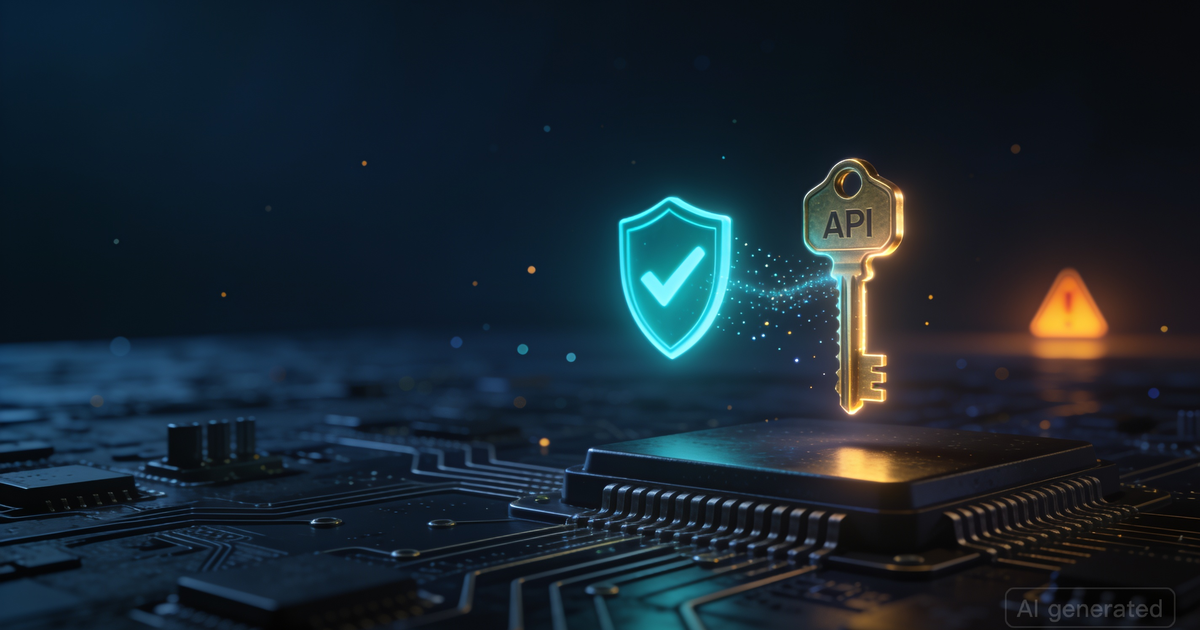
Finding an API key in a public JavaScript bundle is routine. Knowing what to do about it is not. If the key is still active, you are looking at an emergency: anyone who views the page source can use it against your cloud, your payments, or your chat workspace right now. If the key was rotated months ago, it is cleanup debt — annoying, but nobody can log in with it. Most scanners cannot tell those two situations apart, because pattern-matching only proves a string looks like a key. It says nothing about whether the credential still works.
That gap is expensive. It manufactures false emergencies (a rotated Stripe key reported as CRITICAL sends teams scrambling on a Friday night) and — far worse — it can bury real ones inside a pile of "probably fine" alerts. Today we are closing it: 2MNY now live-verifies detected secrets against their issuing provider and stamps the verdict directly on the finding.
What live secret verification actually checks
When one of our secret-detection scanners — the gitleaks battery, the JavaScript secret extractor, or the open-directory secret scanner — finds a credential on a site you own, the platform checks that credential against the issuing provider's own read-only authentication endpoint. The same way the provider would tell you whether your key is valid.
The question we ask is exactly one bit of information: does this credential authenticate?
| Credential family | Verification endpoint (read-only) | What "valid" proves |
|---|---|---|
GitHub tokens (ghp_, fine-grained PATs) |
api.github.com/user |
The token can read and act on the account |
Stripe keys (sk_live_, sk_test_, restricted keys) |
api.stripe.com/v1/balance |
The key can access the Stripe account |
Slack tokens (xoxb-, xoxp-, …) |
slack.com/api/auth.test |
The token is authorized on the workspace |
| Telegram bot tokens | api.telegram.org/bot…/getMe |
The bot credential is active |
OpenAI / Anthropic keys (sk-, sk-ant-) |
/v1/models |
The key can call the AI APIs |
Google / Firebase API keys (AIza…) |
Maps API status check | The key is active (restrictions noted) |
| SendGrid, Mailgun, npm, Discord, Cloudflare | Each provider's identity endpoint | The credential is accepted |
Thirteen provider families in this release, chosen because they are the credential types most frequently leaked in client-side code — and because each has a safe, documented, read-only verification endpoint.
The verdicts: from "looks like a key" to "this key works"
Every live-checked secret gets one of three labels, rendered as a badge on the finding and rolled up into the report's verification band:
| Badge | Meaning | Severity the finding gets |
|---|---|---|
| LIVE CREDENTIAL CONFIRMED | The provider accepted the credential. It works. Right now. | Critical — rotate immediately |
| INACTIVE / ROTATED (PROVIDER-CONFIRMED) | The provider rejected it (401-class response) | Low — remove it from the code anyway |
| LIVE CHECK NOT AVAILABLE | The credential type has no safe check (e.g. an AWS key ID without its paired secret, or an instance-scoped Grafana key) | Original severity kept, with the reason documented |
The severity calibration is the point. A confirmed-active GitHub token sitting in a public bundle is one of the few findings that genuinely deserves CRITICAL with zero debate — an attacker needs no exploit, no vulnerability, no chaining; they simply use the credential. Conversely, downgrading a provider-rejected key to Low keeps it visible as hygiene debt without stealing attention from live threats.
How we made it safe (the part that matters)
Verifying a credential means sending it to a service. That deserves scrutiny, so here is the complete safety design — the same rules apply to every check, no exceptions:
- Read-only endpoints only. Every check is a documented identity-introspection call (
/user,auth.test,getMe). No messages are sent, nothing is created, nothing is deleted. We never read account data beyond "is this valid" — provider responses are discarded; only the verdict and HTTP status are recorded. - The credential only ever travels to its own issuer, over verified TLS, from the scan engine. It is never stored: the raw value exists in scanner memory for the duration of the check and is never written to the database — findings keep only the masked preview (first characters + asterisks) exactly as before.
- Ownership-verified targets only. Live checks run exclusively inside secret-detection scanners that require proof of site ownership. We verify your credentials, for you — never a third party's.
- No false "invalid" verdicts. Some rejections are ambiguous — a GitLab token rejected by gitlab.com might belong to a self-hosted instance, and a Mailgun key has two regional endpoints. Where rejection is not definitive for that credential family, we return "check not available" instead of a wrong verdict. A wrong "rotated" label could stop someone from rotating a live key; we simply do not emit it.
- Bounded by design. Maximum five live checks per scan, per-provider rate intervals, and a 10-minute verdict cache so the same secret detected by two scanners (or a rescan) triggers one provider call, not three.
This is the same pattern the industry-standard open-source secret scanners converged on — but integrated into a full platform: the verdicts flow into customer reports, verification bands, severity calibration, and machine-readable exports.
One number that changes triage math
Consider a typical mid-size report: 9 secret findings. Before live verification, all 9 look identical — "credential exposed", mostly CRITICAL, 9 tickets, 9 rotations, 9 owner hunts. After: perhaps 2 are LIVE CREDENTIAL CONFIRMED (rotate these two in the next hour) and 7 are provider-confirmed rotated fossils (clean up in the next sprint). The triage decision — what to do tonight — becomes a filter you can apply by reading a badge.
That is the practical difference between a scanner that lists key-shaped strings and one that answers the question your incident channel will ask first: "does it actually work?"
Also in this release: secrets-manager exposure checks
Secrets are safest in a manager — unless the manager itself is internet-facing. Release 233 adds a dedicated secrets-manager exposure scanner probing for exposed HashiCorp Vault instances (unauthenticated /v1/sys/health and /v1/sys/metrics endpoints, including sealed/standby nodes and version disclosure) and exposed Infisical deployments (the /api/status endpoint). An internet-reachable Vault is the single highest-value target in any infrastructure — it holds every other secret — so it earns its own positive-shape-confirmed checks rather than a generic port probe.
Live secret verification and secrets-manager exposure detection ship together in the current scan engine, alongside the existing evidence-verification layer, KEV/EPSS enrichment, and SARIF 2.1.0 exports — all included for every 2MNY scan.
FAQ
Does 2MNY store the secrets it finds? No. Only a masked preview (first few characters) is stored, exactly as before. The full value exists in scanner memory during the scan for the verification check and is never written to disk or database.
Can verification damage my account or trigger provider alerts? The checks are read-only identity calls — the same endpoint you would use to check a token yourself. No messages are sent, no resources created or modified, and no data beyond the verdict is recorded. Five checks per scan, rate-limited.
What happens if a provider is down during my scan? The finding is labeled "unreachable at check" and keeps its original severity — we never guess. The verdict cache also means a rescan minutes later reuses any successful check.
Why was my finding downgraded to Low severity? Because the issuing provider rejected the credential — it is inactive or already rotated. The finding stays in the report as cleanup debt (remove the dead key from the code), but it no longer inflates your risk score.
Do you check AWS keys? AWS access key IDs cannot authenticate alone — the paired secret access key is required, and we never capture it. Those findings are labeled honestly as "live check not available" instead of guessing.